manim的实现
manim是整个流程中最核心的部分,所有数学公式的可视化都要在这一部分完成,因此我脱离主线先进行可行性验证之后再并入主线开发。
提示词如下:
我需要编写Manim Woker,具体如下:
> **Manim Worker:能否把明确的动画任务转成可运行的 Manim 代码,并通过渲染反馈修复错误。**
不要验证多 Agent,不要验证数学讲解能力,不要验证 Planner,不要验证 Explorer。所有上游内容都手写固定,只看 Manim Worker 本身是否成立。
---
## 1. Manim Worker 的最小定义
这个子 Agent 的职责只有三件事:
```text
1. 读取一个明确的 Manim 动画规格
2. 生成完整 scene.py
3. 根据 manim 渲染日志修复代码
它不负责:
```text
选题
数学解释
教学设计
脚本创作
网页展示
SVG 设计
字幕生成
多 Agent 调度
所以这个 POV 的本质是:
```text
scene_spec.yaml
      ↓
Manim Worker
      ↓
scene.py
      ↓
manim render
      ↓
成功 / 失败
      ↓
失败则把 log 回传给 Manim Worker 修复
---
## 2. 你要验证的核心命题
这个 POV 的验证命题应该写得很窄:
> 在给定结构化动画规格的前提下,Manim Worker 是否能稳定生成可渲染的 Manim 场景代码,并能基于渲染错误日志进行有限轮修复。
这句话很关键。它排除了“AI 会不会自己设计数学动画”的不确定性。
你现在只验证:
```text
Manim 代码生成能力
Manim API 使用能力
渲染错误修复能力
最终 mp4 产出能力
---
## 3. 最小实验任务
只做一个 demo 就够,建议用:
> **导数的几何意义:割线趋近切线**
因为它包含 Manim 常见对象:
```text
Axes
FunctionGraph
Dot
Line
ValueTracker
always_redraw
MathTex / Text
Transform
Create
FadeIn
它可以充分验证 Manim Worker 是否真的会组织动画。
不要一开始做 ε-δ、同调、泛函分析。这些会把失败原因混入数学表达难度,不利于验证 Worker。
---
## 4. 固定输入:scene_spec.yaml
POV 阶段,这个文件你手写,不让其他 Agent 生成。
```yaml
scene_id: derivative_geometry
scene_class: DerivativeGeometryScene
quality: ql
goal: >
  Create a Manim animation showing that the derivative is the limiting slope
  of secant lines as one point approaches another point on a curve.
requirements:
  - Use Manim Community Edition.
  - Use from manim import *.
  - Define exactly one Scene class.
  - The class name must be DerivativeGeometryScene.
  - Do not use external images, SVGs, fonts, plugins, or custom LaTeX packages.
  - Prefer simple and stable Manim APIs.
  - The scene must be renderable with: manim -ql scene.py DerivativeGeometryScene.
visual_objects:
  - coordinate axes
  - graph of y = 0.25 * (x - 1)^2 + 1
  - fixed point A on the graph at x = 1
  - moving point B on the graph, moving from x = 3.5 to x = 1.3
  - secant line through A and B
  - tangent line at A
  - short formula for secant slope
  - short formula for derivative
animation_steps:
  - create coordinate axes
  - draw function graph
  - show point A
  - show point B
  - draw secant line through A and B
  - move B toward A while secant line updates
  - show tangent line at A
  - show derivative formula
constraints:
  max_duration_seconds: 25
  avoid_complex_latex: true
  use_dark_background: true
  keep_text_readable: true
这个规格已经足够让 Manim Worker 工作。它不是 Planner 产物,而是你人为写死的测试输入。
---
## 5. Manim Worker 的输出
Worker 每次必须输出完整 Python 文件。
例如:
```text
runs/derivative_geometry/attempt_001.py
要求:
```text
可以直接被 manim 命令执行
不输出解释
不输出 markdown 代码块
不依赖外部资源
只包含一个 Scene class
class 名和 spec 一致
渲染命令固定:
```bash
manim -ql runs/derivative_geometry/attempt_001.py DerivativeGeometryScene
如果成功,复制成:
```text
runs/derivative_geometry/final_scene.py
如果失败,保存日志:
```text
runs/derivative_geometry/attempt_001.log
然后进入修复。
---
## 6. Manim Worker 的两个 Prompt
只需要两个 prompt。
### generate_scene.md
```markdown
You are a Manim Worker.
Your task is to generate a complete, executable Manim Python file from the given scene specification.
Hard requirements:
1. Output only Python code.
2. Do not use markdown fences.
3. Use `from manim import *`.
4. Define exactly one Scene class.
5. The Scene class name must match the `scene_class` field.
6. Do not use external files, images, SVGs, fonts, plugins, or custom LaTeX packages.
7. Prefer simple, stable Manim Community Edition APIs.
8. Use short MathTex expressions only. If LaTeX is risky, use Text instead.
9. The file must be renderable by the command specified in the scene specification.
10. Keep the animation clear and minimal
Scene specification:
{{SCENE_SPEC}}
### repair_scene.md
```markdown
You are a Manim code repair worker.
The previous Manim script failed to render.
Repair the code with the smallest possible change.
Hard requirements:
1. Output the full corrected Python file.
2. Output only Python code.
3. Do not use markdown fences.
4. Keep the same Scene class name.
5. Do not introduce external files, images, SVGs, fonts, plugins, or new dependencies.
6. Prefer simple Manim APIs.
7. If the error is caused by LaTeX, simplify MathTex or replace it with Text.
8. Do not redesign the whole scene unless necessary.
Scene specification:
{{SCENE_SPEC}}
Previous code:
{{PREVIOUS_CODE}}
Render log:
{{RENDER_LOG}}
Detected error type:
{{ERROR_TYPE}}
这两个 prompt 就够了。不要写一堆 Agent 角色设定。
---
## 7. 自动修复闭环
Manim Worker 外面需要一个极薄的执行壳:
```text
生成代码
    ↓
运行 manim
    ↓
捕获 stdout / stderr
    ↓
判断是否成功
    ↓
失败则分类错误
    ↓
把错误、旧代码、spec 交回 Worker 修复
最多修复 3 次。
```text
attempt_001.py
attempt_001.log
attempt_002.py
attempt_002.log
attempt_003.py
attempt_003.log
final_scene.py
超过 3 次仍失败,就判定 POV 失败。不要无限循环。
---
## 8. 错误分类只做规则
`log_parser.py` 不需要智能化,先做关键词规则。
```python
def classify_error(log: str) -> str:
    lower = log.lower()
    if "syntaxerror" in lower:
        return "syntax_error"
    if "nameerror" in lower:
        return "name_error"
    if "attributeerror" in lower:
        return "attribute_error"
    if "typeerror" in lower:
        return "type_error"
    if "valueerror" in lower:
        return "value_error"
    if "latex" in lower or "tex error" in lower or "latex error" in lower:
        return "latex_error"
    if "no module named" in lower:
        return "dependency_error"
    if "timeout" in lower:
        return "render_timeout"
    return "unknown_error"
第一版只要能区分这些就够。
---
## 9. 最小目录结构
```text
manim-worker-pov/
├── README.md
├── specs/
│   └── derivative_geometry.yaml
├── prompts/
│   ├── generate_scene.md
│   └── repair_scene.md
├── src/
│   ├── worker.py
│   ├── renderer.py
│   └── log_parser.py
└── runs/
    └── derivative_geometry/
        ├── scene_spec.yaml
        ├── attempt_001.py
        ├── attempt_001.log
        ├── attempt_002.py
        ├── attempt_002.log
        ├── final_scene.py
        └── output.mp4
这个项目不需要数据库,不需要前端,不需要消息队列,不需要 LangGraph。先验证子 Agent。
---
## 10. renderer.py 最小实现
```python
from pathlib import Path
import subprocess
def render_scene(
    scene_file: Path,
    scene_class: str,
    quality: str = "ql",
    timeout: int = 120,
) -> tuple[bool, str]:
    cmd = [
        "manim",
        f"-{quality}",
        str(scene_file),
        scene_class,
    ]
    try:
        result = subprocess.run(
            cmd,
            capture_output=True,
            text=True,
            timeout=timeout,
            encoding="utf-8",
            errors="replace",
        )
    except subprocess.TimeoutExpired:
        return False, "RENDER_TIMEOUT"
    log = result.stdout + "\n" + result.stderr
    return result.returncode == 0, log
---
## 11. worker.py 主流程
```python
from pathlib import Path
import shutil
import yaml
from renderer import render_scene
from log_parser import classify_error
MAX_REPAIR_ROUNDS = 3
def load_spec(spec_path: Path) -> dict:
    return yaml.safe_load(spec_path.read_text(encoding="utf-8"))
def call_llm_generate(scene_spec: str) -> str:
    """
    TODO: 调用你的 LLM。
    返回完整 Manim Python 代码。
    """
    raise NotImplementedError
def call_llm_repair(
    scene_spec: str,
    previous_code: str,
    render_log: str,
    error_type: str,
) -> str:
    """
    TODO: 调用你的 LLM。
    返回修复后的完整 Manim Python 代码。
    """
    raise NotImplementedError
def run_worker(spec_path: Path, run_dir: Path) -> dict:
    run_dir.mkdir(parents=True, exist_ok=True)
    spec_text = spec_path.read_text(encoding="utf-8")
    spec = load_spec(spec_path)
    scene_class = spec["scene_class"]
    quality = spec.get("quality", "ql")
    shutil.copyfile(spec_path, run_dir / "scene_spec.yaml")
    code = call_llm_generate(spec_text)
    for attempt in range(1, MAX_REPAIR_ROUNDS + 2):
        scene_file = run_dir / f"attempt_{attempt:03d}.py"
        log_file = run_dir / f"attempt_{attempt:03d}.log"
        scene_file.write_text(code, encoding="utf-8")
        success, log = render_scene(
            scene_file=scene_file,
            scene_class=scene_class,
            quality=quality,
        )
        log_file.write_text(log, encoding="utf-8")
        if success:
            final_file = run_dir / "final_scene.py"
            final_file.write_text(code, encoding="utf-8")
            return {
                "status": "success",
                "attempts": attempt,
                "final_scene": str(final_file),
            }
        error_type = classify_error(log)
        if attempt > MAX_REPAIR_ROUNDS:
            return {
                "status": "failed",
                "attempts": attempt,
                "last_error_type": error_type,
                "last_log": str(log_file),
            }
        code = call_llm_repair(
            scene_spec=spec_text,
            previous_code=code,
            render_log=log,
            error_type=error_type,
        )
这就是 Manim Worker POV 的核心。
---
## 12. 成功标准
你可以这样定义:
```text
实验输入:
1 个手写 scene_spec.yaml
实验输出:
1 个 final_scene.py
1 个可播放 mp4
完整保存每轮 attempt.py 和 attempt.log
通过标准:
1. 最多 3 轮修复后成功渲染
2. final_scene.py 可重复运行
3. output.mp4 正常生成
4. 画面中至少包含坐标轴、曲线、点、割线、切线、公式
5. 修复过程能基于日志进行,而不是完全重写
更硬一点:
```text
POV 成功 =
Manim Worker 在固定结构化规格下,能在 ≤ 4 次尝试内生成可渲染 Manim 动画。
其中 4 次包括:
```text
1 次初始生成 + 3 次修复
---
## 13. 这个 POV 最终证明什么
它证明的是:
> **Manim Worker 作为独立代码生成子 Agent 是可行的。**
具体包括:
```text
能理解结构化动画规格
能生成完整 Manim Scene
能被真实 manim 命令验证
能读取错误日志并修复
能形成可复现产物
它不证明:
```text
多 Agent 架构已经成立
AI 能自动设计数学课程
AI 能生成高质量教学视频
AI 能理解任意数学主题
这个提示词来自ChatGPT,聚焦于manim的实现,实现结果如下:
已按你给的边界,落地了一个独立的 manim-worker-pov,只做 Manim Worker 闭环,不涉及 Planner/Explorer/多 Agent。
新增与修改
- 新增 POV 项目目录与核心代码
- 新增固定输入与 prompts
- 新增 POV 说明文档
- 文档同步(最小)
实现要点
worker.py实现了你定义的闭环:spec -> generate -> render -> log -> classify -> repair。- 最大修复轮次默认
3(总尝试最多4次)。 - 每轮都会落盘
attempt_XXX.py/attempt_XXX.log。 - 成功后输出
final_scene.py,并尝试复制渲染结果到output.mp4。 - LLM 通过外部命令接入(
--llm-command),要求 stdin 输入 prompt、stdout 输出完整 Python 代码。
验证情况
- 本机当前缺少可用 Python 运行时与 Manim,无法实际执行渲染闭环:
python: MISSINGpy: OK但No installed Pythons found!manim: MISSING
剩余风险
- 未在当前机器完成真实
manim渲染验证(仅完成代码与流程落地)。 - 依赖你提供可用 Python + Manim + LLM 命令后,才能跑通最终 mp4 产出验证。
- 如果你要,我下一步可以直接给你一条可执行的“环境安装 + 首次跑通”命令清单(按你这台 Windows 机器)。
- 也可以让我补一个
mock_llm脚本,先不接真实模型,做本地流程自检。
HTML的实现
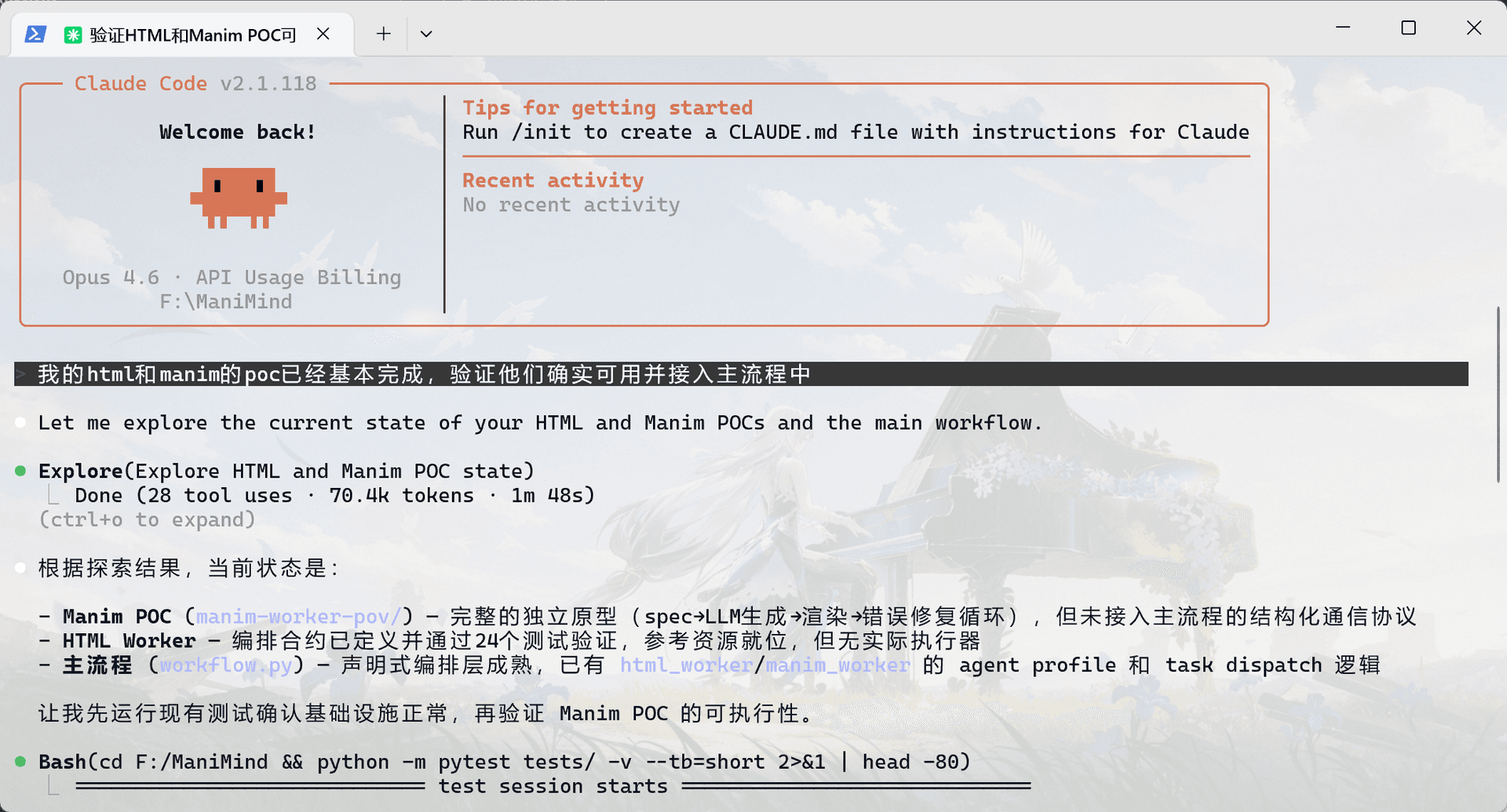
HTML主要负责视频前半段非数学公式素材的的生成,主要实现来自于第三方仓库HyperFrames的组件和提示词,在第0阶段的项目架构中这些板块已经被并入项目中了,可以直接形成闭环并且验证:
已完成 html_worker 的编排层验证,并写成待审阅文档。
本次改动
- 修正
formula.catalog上下文消费者缺口,避免html_worker/svg_worker声明依赖却拿不到上下文:workflow.py - 新增
html_worker验证测试,覆盖资源存在性、输出边界、上下文装配:test_html_worker_validation.py - 新增最小复跑清单,用于单独验证 HTML worker 链路:html-worker-validation.example.json
- 新增审阅文档,记录验证范围、证据、修复点和剩余风险:html-worker验证记录.md
- 在文档索引补了入口:README.md
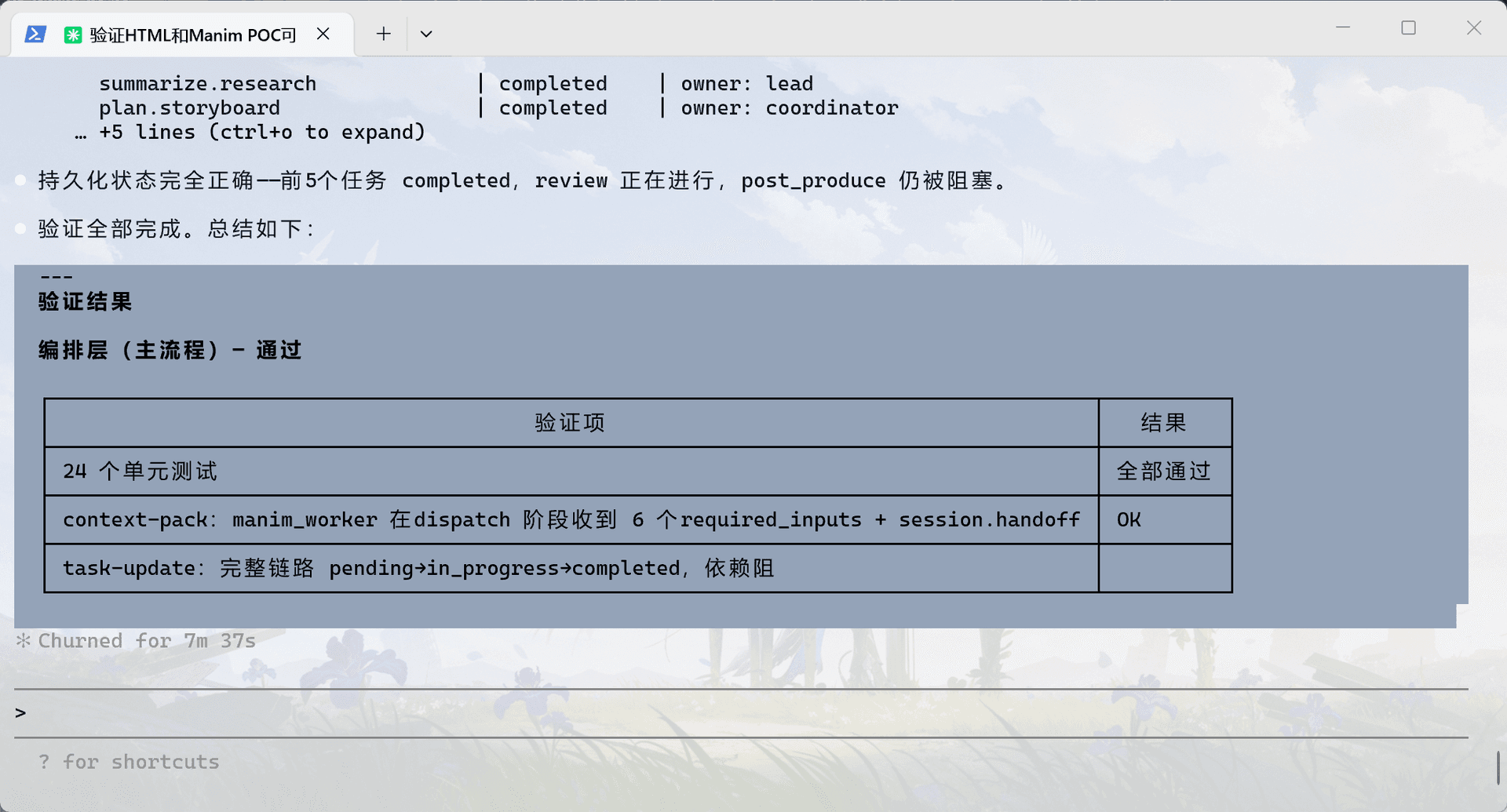
验证结果
- 全量测试通过:
24 passed - 用最小清单实际跑通了
plan -> context-pack -> task-update render.seg-html-01.html在plan.storyboard完成后可正常解锁render.seg-html-01.html -> completed时触发verification_nudge_needed = truepost_produce.package在 reviewer 未完成前被正确阻塞,原因是task_blocked- 当前验证项目阶段已推进到
review,证据在:
当前结论
- 现在可以证明:
html_worker的编排 contract 已可验证 - 还不能证明:真实 HTML 生成、模板选型、HyperFrames 质量门、最终成片交付已经可用
剩余风险
context-pack还没有显式注入html-animation/ HyperFrames 的结构化资源入口html_worker长期/短期产物还没有正式 schema- reviewer 前还没接入 HyperFrames 的
lint / validate / inspect
注意
- 工作区里存在一批非本次任务的已有改动和未跟踪项,我没有处理它们
- README.md 在本次修改前就已有本地差异;我只补了
html-worker验证记录的入口
- 如果你要继续推进,我建议下一步先定义
html_worker产物 schema 和第三方资源注入字段 - 如果你要我继续,我也可以把审阅文档里的“待确认问题”直接收敛成一版可执行设计稿
并入主线